
Personal Settings
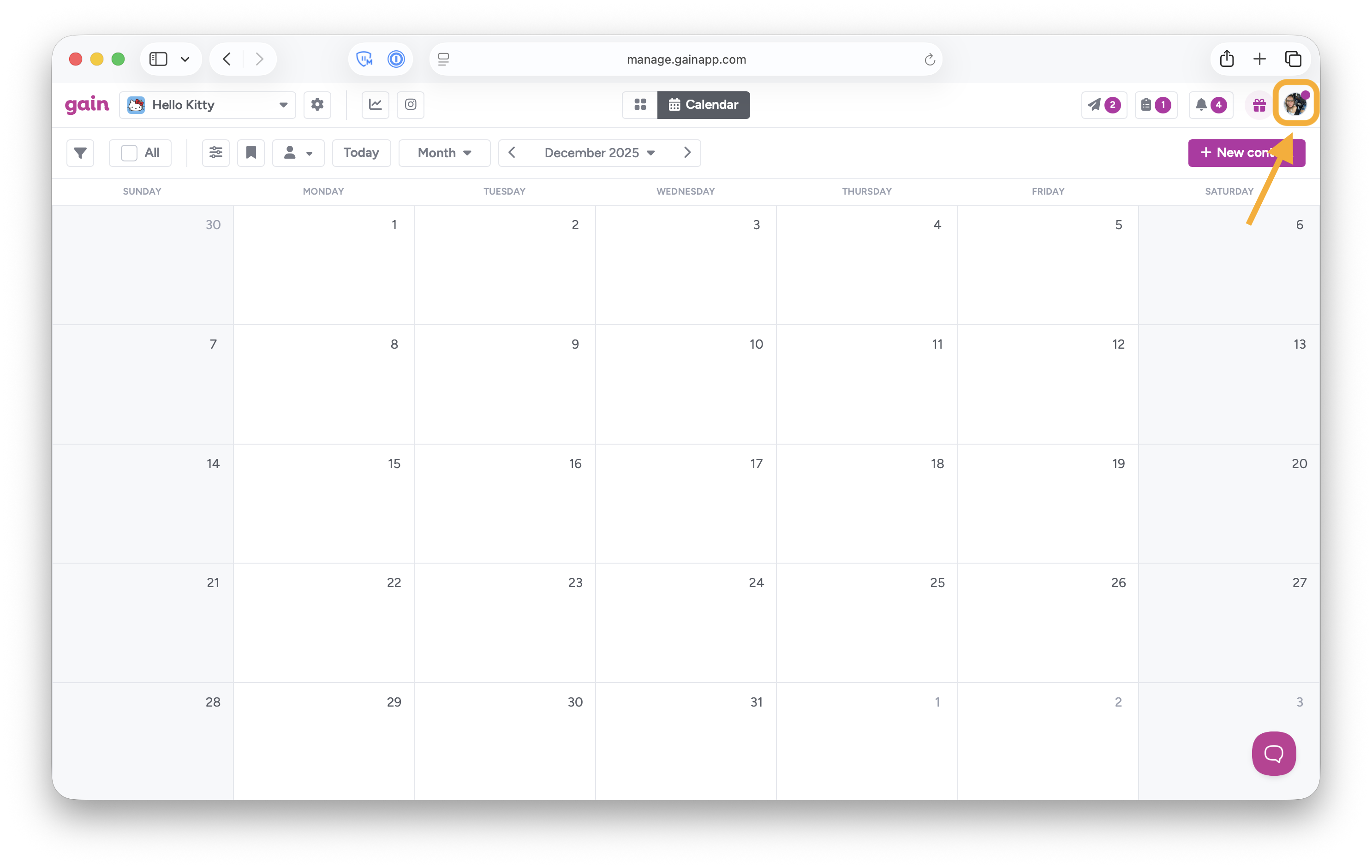
To access and edit your personal settings, click on your avatar or initials on the top right corner:
and click on Personal Settings:
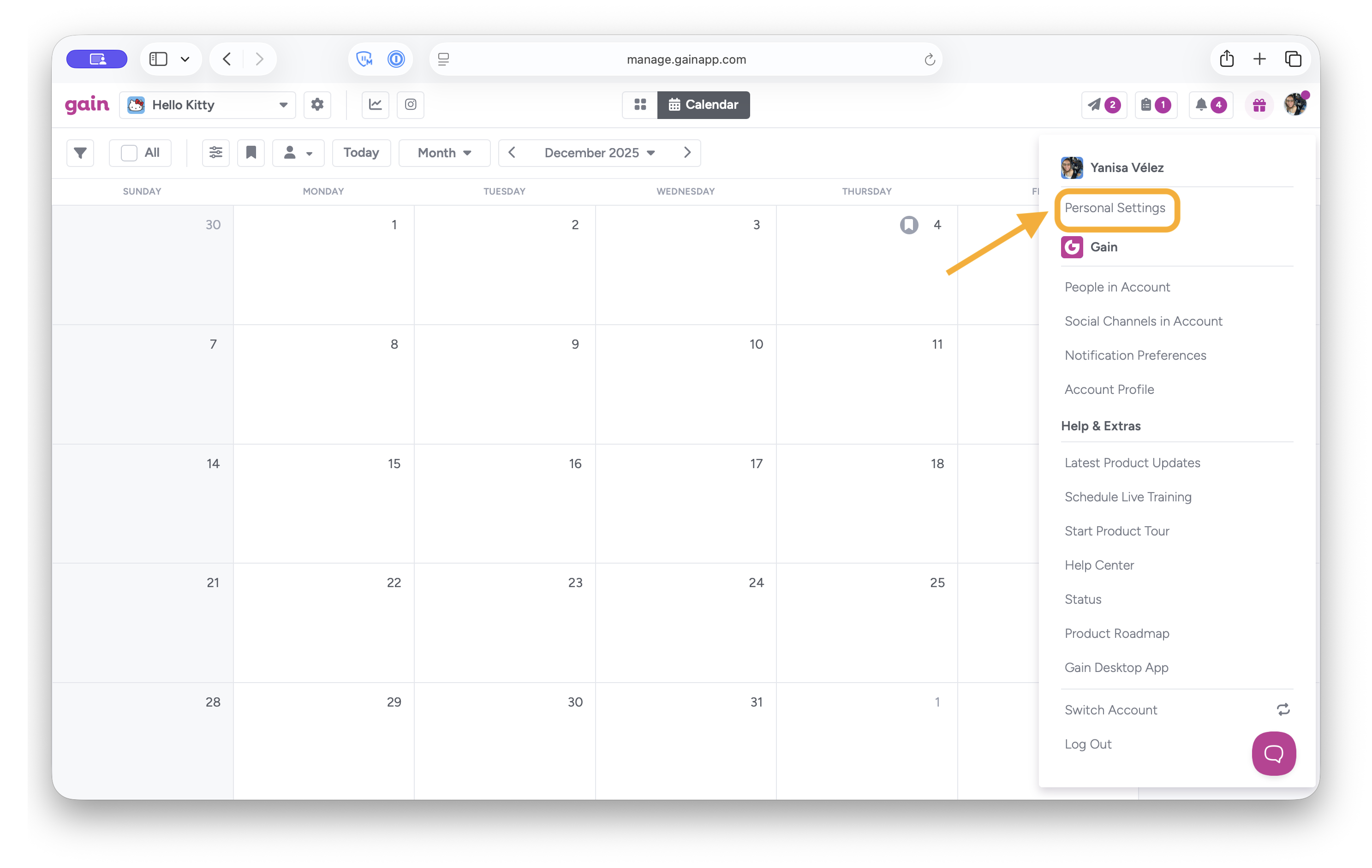
In your Personal Settings, you can edit your personal information, plus:
- Upload a profile picture
- Change your email address
- Update your password
- Change your email preferences
- Set up 2-Step verification
- Disconnect your Canva integration
Note: If you forgot your password, click here to reset it.